Zoom into any part of a video. Keep it there.
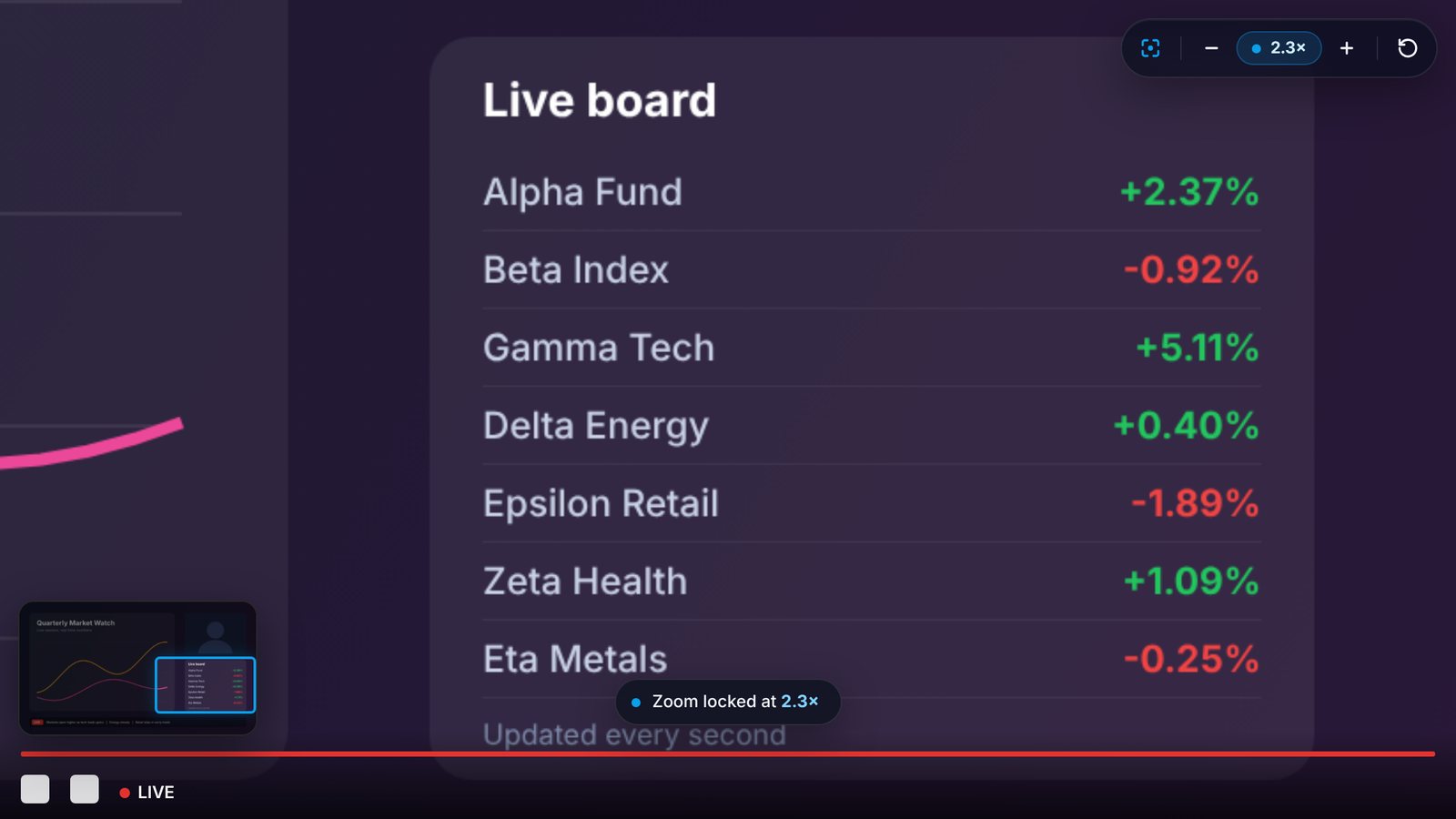
Draw a box over the scoreboard, chart, chat, or code you care about. ZoomLock keeps that spot zoomed in while the live stream plays.
Works on YouTube videos and live streams. No account. No tracking.
Three steps. Under five seconds.
No settings to learn. Pick the spot once and keep watching.
Open a video
Any YouTube video or live stream. The ZoomLock button appears when you hover over the player.
Draw a box
Click Zoom area or press Alt + Z, then drag over the part you want to see bigger.
Stay locked in
The view holds that spot as the video plays. Adjust anytime, or press Alt + X for full view.
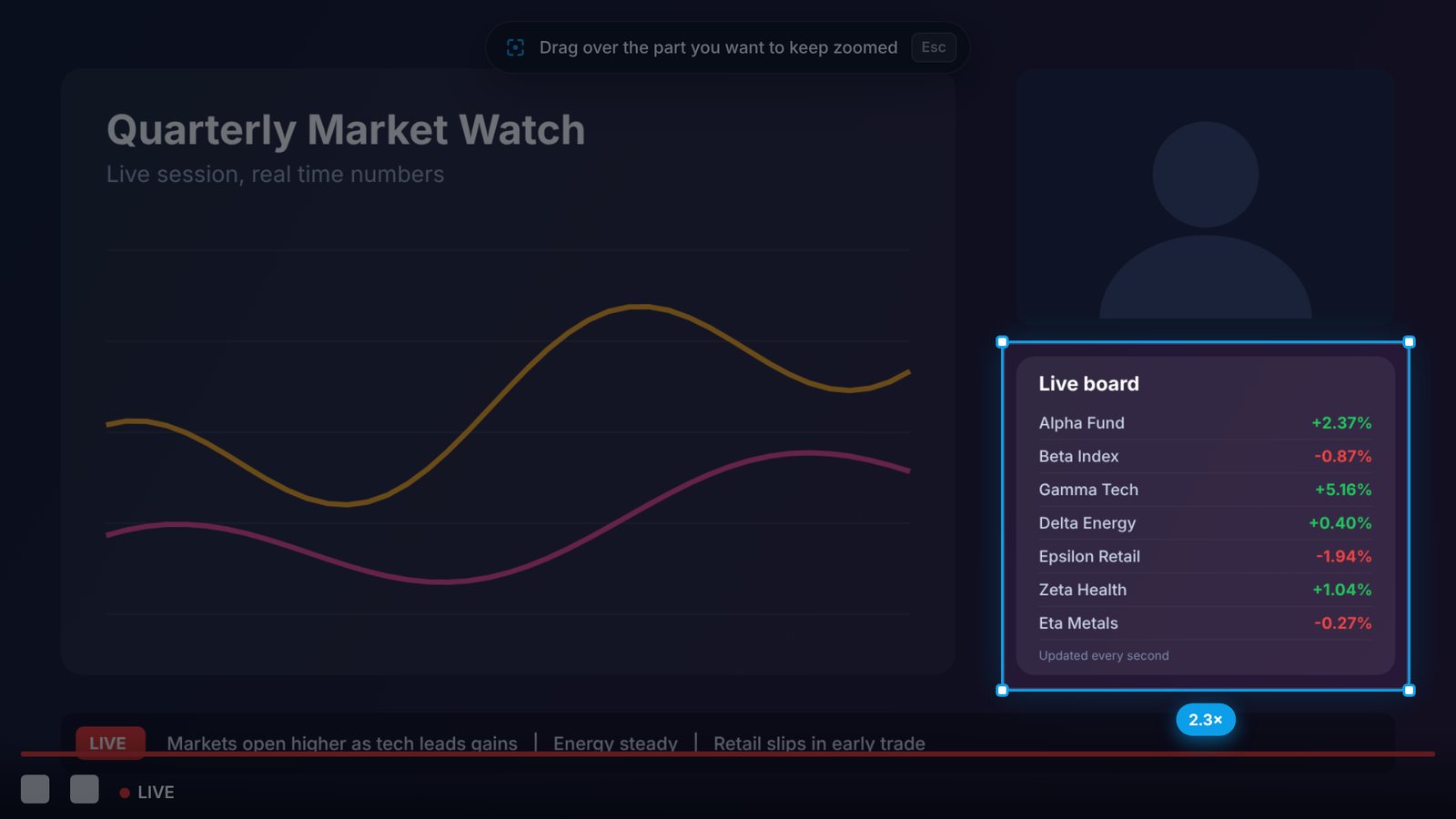
See the zoom before you let go.
The rest of the video dims while you draw, and a live badge shows exactly how much bigger your area will get.
- Any size, any shape, anywhere on the video
- Press Esc to cancel and keep your last zoom
- No black edges, the view always stays inside the video
Small tool. Thoughtful details.
Locked zoom
Your view stays on the same spot through the whole live stream, even for hours.
Fine tune
Zoom in or out step by step with plus and minus, without drawing again.
Mini map
See where you are in the full frame. Drag it to move around, scroll on it to zoom.
Remembers each video
Come back to a video or refresh the page and it opens at the same zoom.
Every view mode
Works in normal, theater, and full screen. The zoom adjusts when the player changes size.
Keyboard shortcuts
Select, reset, and zoom from the keyboard. Change the keys anytime in Chrome.
Everything in one click.
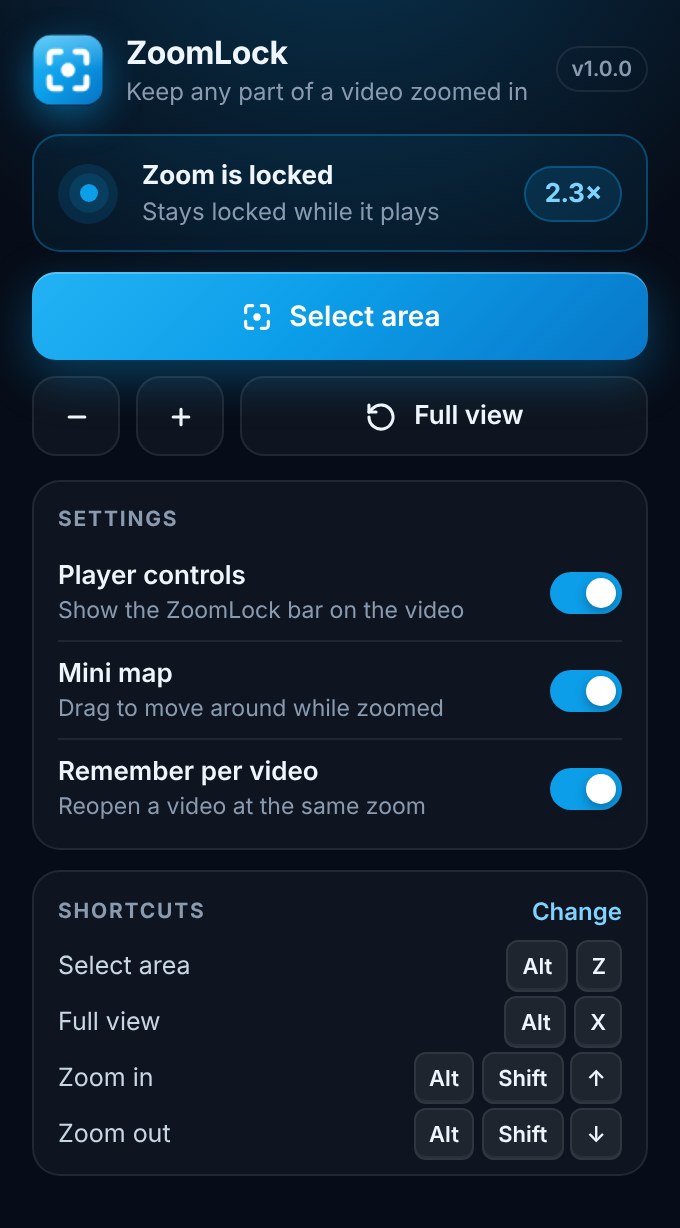
Open ZoomLock from your toolbar to see what is happening on the current tab, adjust the zoom, and choose how the extension behaves.
- Show or hide the player controls
- Turn the mini map on or off
- Choose whether to remember zoom per video
Whatever you are watching closely.
Questions, answered.
Is ZoomLock free?
Yes. ZoomLock is free to install and use.
Does it work on live streams?
Yes. That is what it was built for. The zoom stays locked for as long as the stream runs, and it works on regular YouTube videos too.
Why does the zoomed area look a little soft?
ZoomLock enlarges the pixels that are already in the video. For the sharpest result, set the video quality to the highest option in YouTube's settings.
Does ZoomLock collect my data?
No. Your settings and saved zoom areas stay in your own browser. Nothing is sent anywhere. Read the full privacy policy.
How do I go back to the normal view?
Click the reset button on the ZoomLock bar, press Alt + X, or click Full view in the toolbar popup.
Can I change the keyboard shortcuts?
Yes. Open the ZoomLock popup and click Change next to Shortcuts, or go to chrome://extensions/shortcuts.

Lock your view on what matters.
ZoomLock is coming soon to the Chrome Web Store. Questions or ideas? Send a message anytime.
Contact support